

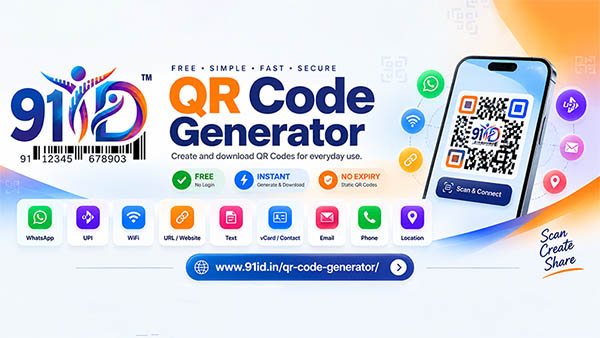
- Free QR Code Generator
- Create, Download & Share
- Digital Contact & vCard
- UPI Payment QR Code
- WhatsApp QR Code
- Wi-Fi QR Code
🌐 Meet the 91iD™ QR Code Generator
Create, download and share QR codes for everyday digital needs with the free online QR Code Generator from 91iD™.
🔗 Open the tool: https://www.91id.in/qr-code-generator/
🚀 One Tool. Multiple QR Code Options.
With the 91iD™ QR Code Generator, you can create QR codes for different types of information from one convenient online page.
-
💬 WhatsApp QR Code — Help people open a WhatsApp chat using a phone number and an optional pre-filled message.
-
💳 UPI QR Code — Prepare a QR code using supported UPI payment details. Always verify the recipient and amount in your payment app before paying.
-
📶 Wi-Fi QR Code — Share compatible Wi-Fi connection details for easier access.
-
🌐 Website / URL QR Code — Let people scan a code to open a website or landing page.
-
📝 Text QR Code — Share a short message or other text.
-
👤 vCard / Contact QR Code — Share contact information in a scannable format.
-
✉️ Email QR Code — Prepare QR content for an email address and supported message details.
-
📞 Phone QR Code — Make a phone number easier to access from a compatible device.
-
📍 Location QR Code — Share a location or map link.
⚡ How to Create a QR Code
-
Choose the QR tool that matches your needs.
-
Enter the required details in the form.
-
Select Generate QR Code.
-
Preview the generated code and scan-test it with a compatible device.
-
Download the QR image as a PNG, where available, and share or print it.
🎯 Designed for Everyday Use
-
🏪 Small businesses: Share website links, contact details and customer communication options.
-
📦 Sellers: Place QR codes on product information cards, packaging inserts or promotional materials.
-
👨💻 Professionals: Share contact details and useful links.
-
🏠 Individuals: Share Wi-Fi information, locations and other supported content.
-
📣 Creators and marketers: Make links easier to access from printed or digital campaigns.
🔒 Important QR Code Safety Tips
-
✅ Scan-test your QR code before publishing or printing it.
-
✅ Check the destination URL and all entered details carefully.
-
✅ For UPI payments, verify the payee and amount in your UPI app before approving a transaction.
-
✅ Do not scan unexpected QR codes from untrusted sources or enter sensitive information on suspicious websites.
ℹ️ A QR code simply stores or points to information. It does not automatically prove that a website, product, payment request or sender is genuine.
❓Frequently Asked Questions
Is the 91iD™ QR Code Generator free?
The tool is offered for free online use. Check the website for the latest features and terms.
Which QR codes can I create?
Supported tools include WhatsApp, UPI, Wi-Fi, website/URL, text, vCard/contact, email, phone and location.
Can I download my QR code?
Yes, the generator provides a QR image download option. Preview and scan-test the image before using it.
Do QR codes expire?
A static QR code does not have an automatic expiry date, but the destination or underlying service may change or stop working.
Does a QR code guarantee product authenticity?
No. A QR code alone does not verify product authenticity. Use an appropriate official verification service when authenticity checks are needed.
Create Your QR Code Today
Make sharing simpler with the 91iD™ QR Code Generator. Choose a tool, enter your information, generate your QR code and test it before sharing.
🔗 Generate your QR Code: https://www.91id.in/qr-code-generator/
91iD™ — Identify. Verify. Trust.